Help guide
Creating a read-only Cloudflare API token for Nexum
This token only needs DNS-read access to the one domain you're auditing — nothing else.
- Go to dash.cloudflare.com and log in.
- Click your profile icon (top right) → My Profile.
- Open the API Tokens tab.
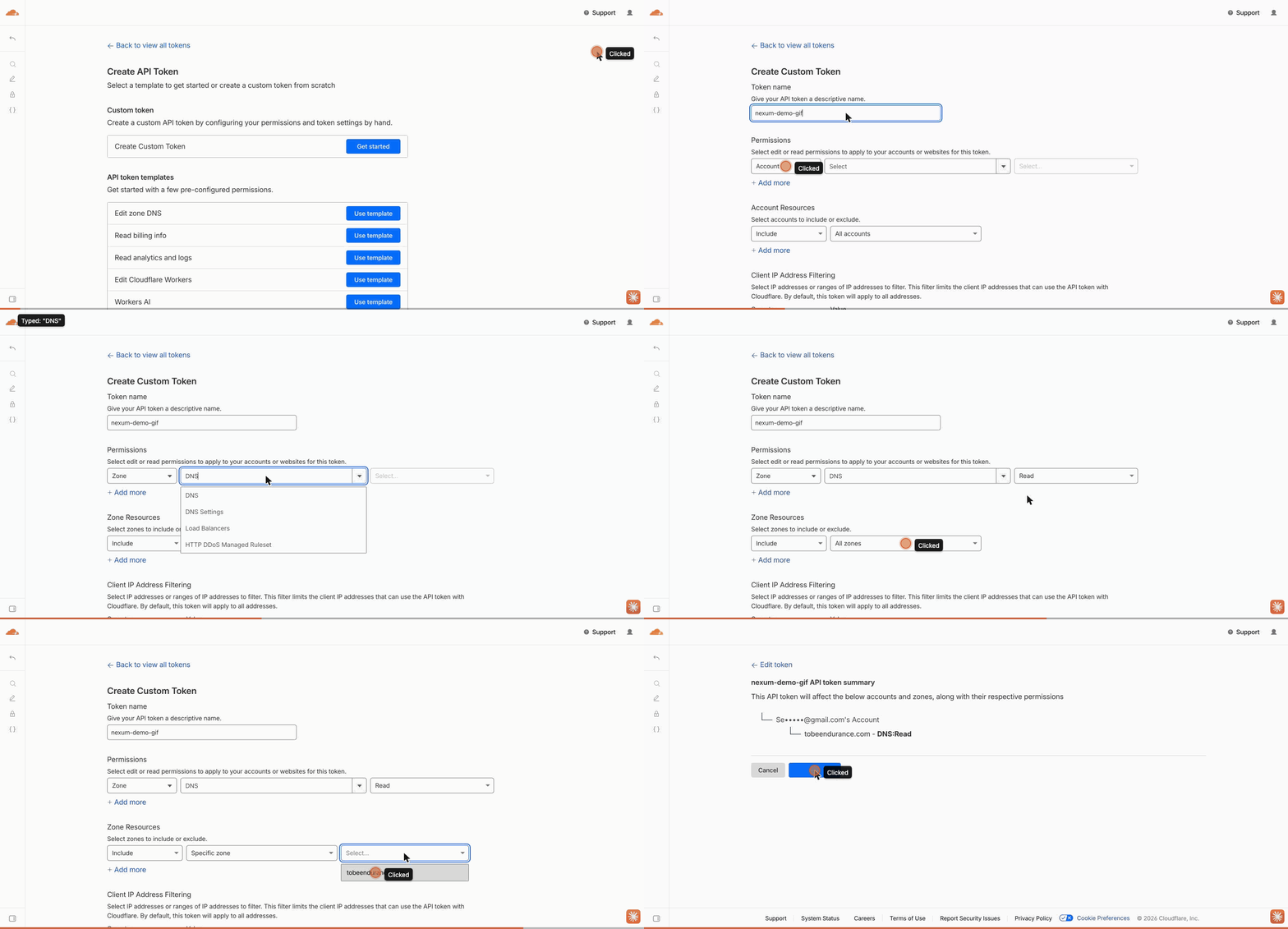
- Click Create Token → Create Custom Token.
- Give it a name you'll recognize, e.g. "Nexum audit — DNS read".
- Under Permissions, choose Zone / DNS / Read.
- Under Zone Resources, choose Specific zone, and select the single domain you're auditing.
- Click Continue to summary → Create Token.
- Copy the token value immediately — it's shown only once.